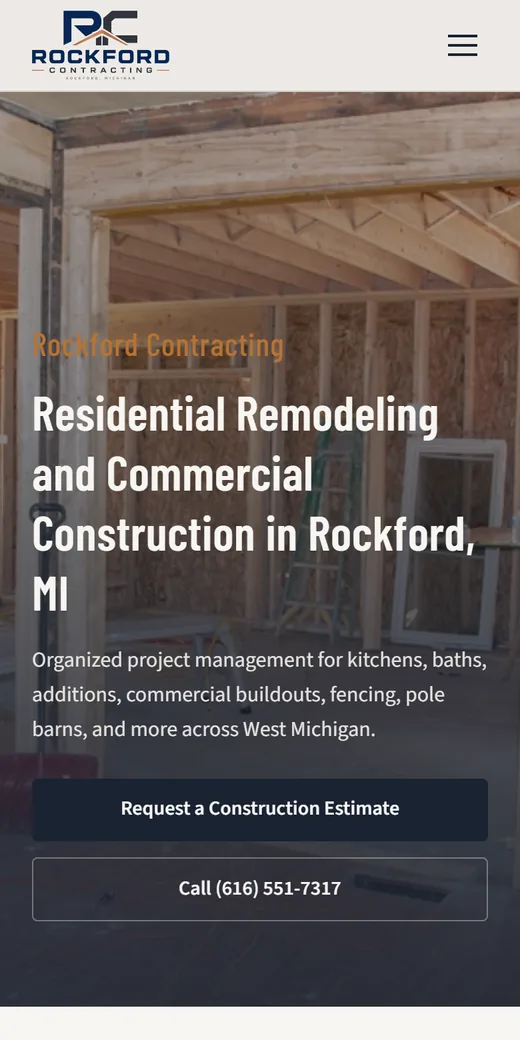
Put your contractor license number in the footer of every page, repeat it with full details on your About page, and show it again on service pages near the quote form. Write it the way your licensing board does, as plain text, and link it to the state’s license lookup so a customer can check it in one tap.
In some states this isn’t optional. California, for one, counts websites as advertising and requires the license number in all of it. Rules differ by state and by trade, so treat the examples below as a reason to check your own board’s rules, not as a summary of the law. This is practical advice, not legal advice. For the rest of what a trade website needs, see our contractor websites page.
Why customers look for it
The FTC’s advice on avoiding home improvement scams tells homeowners to consider only licensed and insured contractors and to confirm a contractor’s license with the state or county government. It also says the contract should include the contractor’s license number. Homeowners who follow that advice will look for your number.
If they can’t find it, they have to ask, or they call a company whose number is right there. A number that’s easy to find and easy to check answers the question before it slows anyone down.
Where to put it on your site
The footer of every page
The footer shows on every page, so the number is there wherever a visitor lands. One line next to your phone number is enough:
[Business name] | [State] [license type] license #[number] | Verify this licenseMake “Verify this license” a link to the state lookup.
The About page
This is where the full details go:
- the business name exactly as it appears on the license
- the license type or classification, in your board’s words
- the issuing board and state
- the number, linked to the lookup
- any other licenses you hold, such as a city license or a separate electrical or plumbing license
- your insurance: what kind you carry, and that you’ll send a certificate on request
Service pages and quote forms
Put a short line near the quote button on each service page for licensed work, such as “Licensed [type] contractor, [state] #[number].” The service pages themselves should stay inside what your license covers. California’s contractor board, for example, says you can’t advertise construction work outside your license classification.
If you work in more than one state
List each state’s license with its own number and lookup link. On pages about work in one state, show that state’s license first.
How to word it
- Use your board’s format. Arizona’s statute, A.R.S. 32-1124, says the license number must be preceded by “ROC.” Other boards have their own names and abbreviations, so copy what’s printed on your license.
- Match the name. The business name next to the number should be the one on the license. If you trade under another name, ask your board how it wants that shown.
- Say what it covers. “Licensed electrical contractor” tells a homeowner more than “fully licensed.”
- Only claim what’s true today. Say “licensed and insured” only if both are current. Claims about bonding need care too. In California, the contractor board’s advertising guidelines say the law prevents contractors from advertising that they’re bonded. Other states treat this differently, which is one more reason to read your own rules.
- Use text, not an image. A number inside a badge graphic can’t be copied or found with search, and screen readers only get it if the image’s alt text includes it.
Link to your state’s license lookup
A link to the state’s own lookup turns your claim into something a customer can check in a few seconds. California’s, for example, is the board’s Check a License page.
- Find your board’s lookup. Search for your state’s name plus “contractor license lookup,” and use the result on the state’s own website, not a paid third-party directory.
- Look up your own license and check that the name, status and classification are what you expect.
- If your record has its own web address that loads in a fresh browser, link straight to it. Some lookups only show results after a search, so a copied results link won’t work. In that case, link the search page and keep the number right beside the link.
- Open the link in a private browser window to make sure it works for someone who isn’t you.
- Recheck it a few times a year. Boards redesign their sites and old links break. The monthly click-through in our contractor website checklist catches this along with broken forms.
If you plan to run Google Local Services Ads, Google may check state licenses during screening, depending on your trade, so the name and number should match there too. Our guide to Local Services Ads vs Google Ads covers what that screening asks for.
Some states require it in advertising
Here are three examples taken from official state sources. Each is a sample, not the full rule, and rules change, so read the current version on your state’s site.
- California. The Contractors State License Board’s advertising guidelines name any website or post that solicits business on the internet as a form of advertising. They say licensed contractors must include their license number in all construction contracts, subcontracts, calls for bid and all forms of advertising, and put the civil penalty at $100 to $1,000 for a first offense.
- Arizona. A.R.S. 32-1124 requires the license number on published advertising, and on broadcast, internet and billboard advertising unless the ad includes a web address that links directly to a website that prominently displays the licensee’s name and license number. So if your online ads point to your website instead of showing the number, the site has to display your name and number prominently.
- Oregon. The Construction Contractors Board lists “failing to display a CCB license number on most advertising” among the violations it investigates, on its contractor compliance page.
Rules differ in which trades they cover, which board issues each license, what counts as advertising and how the number must appear. Electricians and plumbers may be licensed by a different board than general contractors. Some trades aren’t licensed at the state level at all, and cities or counties may have their own rules. Check with your own state board, read its advertising rules, and ask an attorney if anything is unclear.
Beyond the website
The same number belongs everywhere you ask for work: business cards, yard signs, proposals, online directory listings, social media profiles and paid ads. California’s rule covers all forms of advertising, and the board’s guidelines also set rules for showing the business name and license number on work vehicles. Ask your board whether its rule reaches your social posts and online ads, and keep the number identical everywhere it appears.
A quick check
- The number is in the footer of every page, as text
- The About page has the full license details and insurance
- Service pages for licensed work show the number near the quote form
- The wording matches the license and your board’s format
- The lookup link works in a private browser window
- Every claim about licensing, insurance and bonding is true and allowed in your state
- Vehicles, ads, profiles and proposals use the same number
How we can help
When we build a contractor site, we ask for your license and insurance details early, show them in the footer, on the About page and on the service pages, and test the lookup link along with every form before launch. If your current site is missing them, or you’re starting fresh, tell us your trade and state on our contact page. The contractor websites page shows where credentials sit on a finished site.