A store with 200 products and a store with 20,000 products are different jobs. At a few hundred items, almost any template works. Past a few thousand, the cracks show: search can’t find a part number typed without its dash, the category menu runs ten levels deep with names only the owner understands, product pages load slowly, and Google sees hundreds of pages with the same title. We build stores for the second kind of catalog.
What is included
Every store we build comes with the parts a large catalog needs from the first day:
- A design that works on a phone first, then a tablet and a desktop, checked at nine screen sizes before launch.
- Room for up to 50,000 product pages, each with its own address, title and description.
- Keyword search with filters for brand, category, condition and price, and pagination with 48, 60, 120 or 240 items per page.
- Categories and subcategories as deep as the products need, plus brand pages and a full category list for shoppers who like to browse.
- Product pages with every photo, specifications, condition, shipping and returns, related items and a pre-filled “ask about this item” form.
- Cart and checkout on Wix’s eCommerce system, with payments connected in your business’s own name.
- A search-friendly structure: clean addresses, structured data for products, a sitemap that lists every product, and breadcrumbs.
- Content you can manage in the Wix dashboard: products, prices, photos and orders.
- Testing and launch: links, forms, search, cart to the payment step, and the live address checked before we call it done.
Built so shoppers find the right item
Most shoppers on a parts or surplus store know one of three things: a part number, a brand, or what they are working on. The store has to answer all three.
Part numbers. People type 6205-2RS, 62052RS and 6205 2rs for the same bearing. Our search treats those as the same, so the buyer gets a result instead of an empty page. We test search with real queries a buyer would type, including misspellings, before launch.
Brands. Each brand gets a page listing its products with a short introduction, which also gives search engines a clear page for “brand + part type” searches.
What they are working on. Not every buyer knows the technical category name. A short finder (“What are you working on?”) lets someone pick the machine or the job and narrow to a shortlist in two or three clicks. The detailed category tree stays available for search engines and for shoppers who want it.
Product pages that answer the questions
A product page has one job: give the buyer enough to say yes without calling. That means every photo at a size that loads fast on a phone, the condition stated plainly, specifications in a readable list, what shipping costs and how fast it leaves, the return policy, and a way to ask a question with the item already filled in. For vehicle parts, fitment comes only from real data such as eBay’s parts catalog, never from a guessed “may fit” list, because a wrong fit reaches a buyer as a return.
Each product page also carries structured data (brand, part number, price, availability, condition) so Google and Bing can show it properly in results and free shopping listings.
Checkout and payments
The cart and checkout run on Wix eCommerce. You connect your payment provider (Wix Payments, PayPal or both) in your own business name; we configure checkout, shipping rules and taxes with you and test the full path to the payment step. We never hold your payment credentials. Phone orders can be taken through the dashboard or with payment links sent by text or email.
The platform: Wix Headless and Astro
We build stores on Wix Headless. Wix runs the business side: products, inventory, orders, payments, customer records and the dashboard. We build the storefront in code with Astro, so the design, speed and search setup are fully ours to shape.
That choice comes with limits we plan around from the start. Wix Stores holds up to 50,000 products, hidden ones included. A category tree holds up to 1,000 categories across four levels. Bulk changes run 100 products per call. Our guide on Wix Headless limits for large stores covers each one and what we do about it.
Who we build stores for
The same build fits different sellers, and each has its own page: eBay and surplus parts sellers, auto parts sellers, industrial and MRO suppliers, used equipment dealers, wholesale distributors with trade accounts and small and growing retailers. If you are leaving another platform, see Shopify and WooCommerce store migration. If you sell by quote instead of a cart, see product catalog websites.
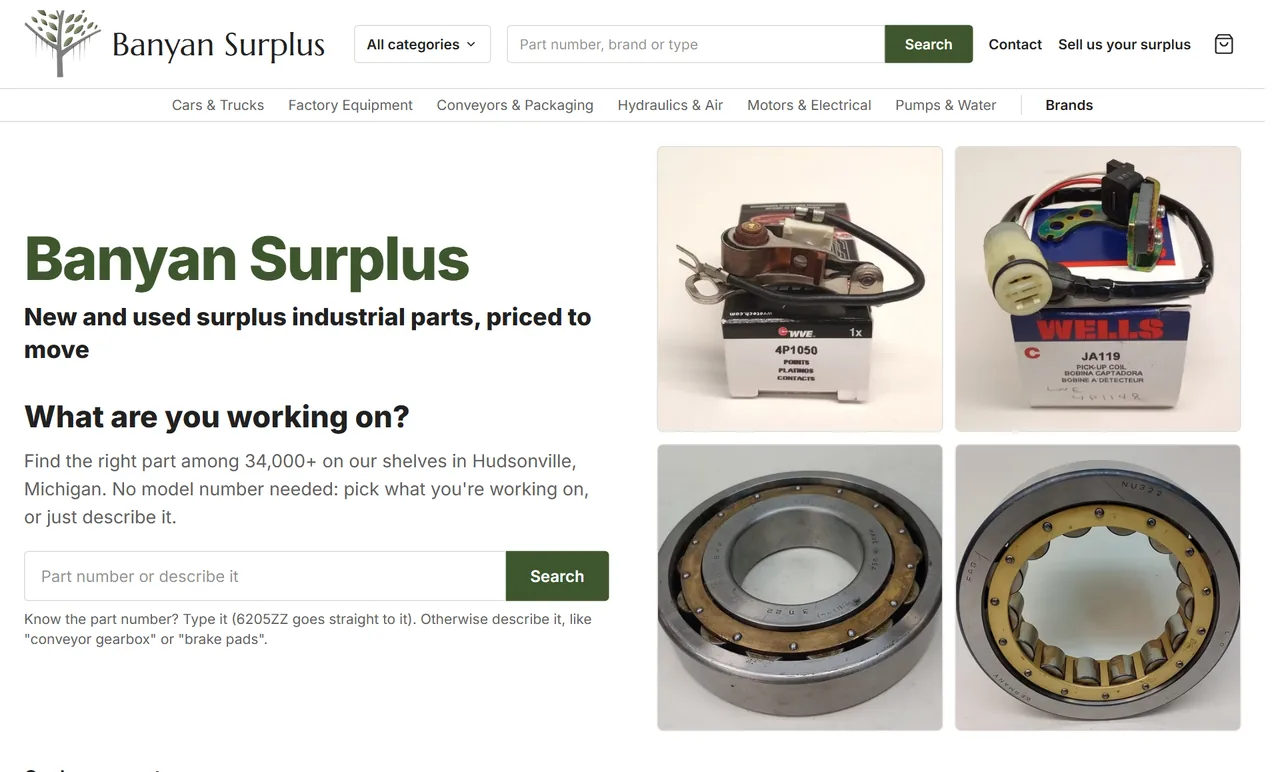
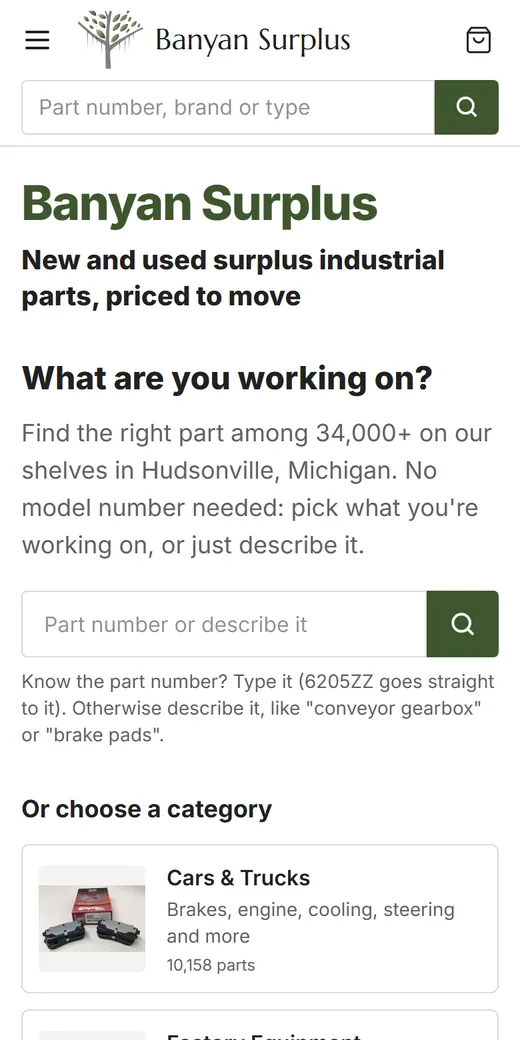
To see one of these stores running, read how we built Banyan Surplus a store that mirrors more than 34,000 eBay listings.
How a store project runs
- Inventory the products. Where do they live today, how many are there, and how clean is the data? This decides most of the schedule.
- Plan the categories and search. We map how buyers think about the catalog, then build the category tree and the finder around that.
- Design and build on a preview address you can open on your own phone while we work.
- Import and check. Counts must match the source, and a random sample of products is checked field by field.
- Launch. The domain is connected (email records untouched), old addresses redirect to the new pages, and the live site is checked again.
- Keep it running. Most stores continue with managed hosting, and stores fed by eBay or an inventory system add a scheduled sync.
If you are weighing the budget, our guide to what drives the cost of a website explains which of these steps make a store project bigger or smaller.